Deployment: RPACT Cloud with RStudio Workbench to Posit Connect
10 June, 2025 05:56:29
Source:vignettes/deploy-from-posit-connect-workbench.Rmd
deploy-from-posit-connect-workbench.RmdStep 1: Clone the App Repository
Clone the repository from GitHub to your local machine.
Step 2: Open app.R
Navigate to the main project folder and open the app.R
file in RStudio:
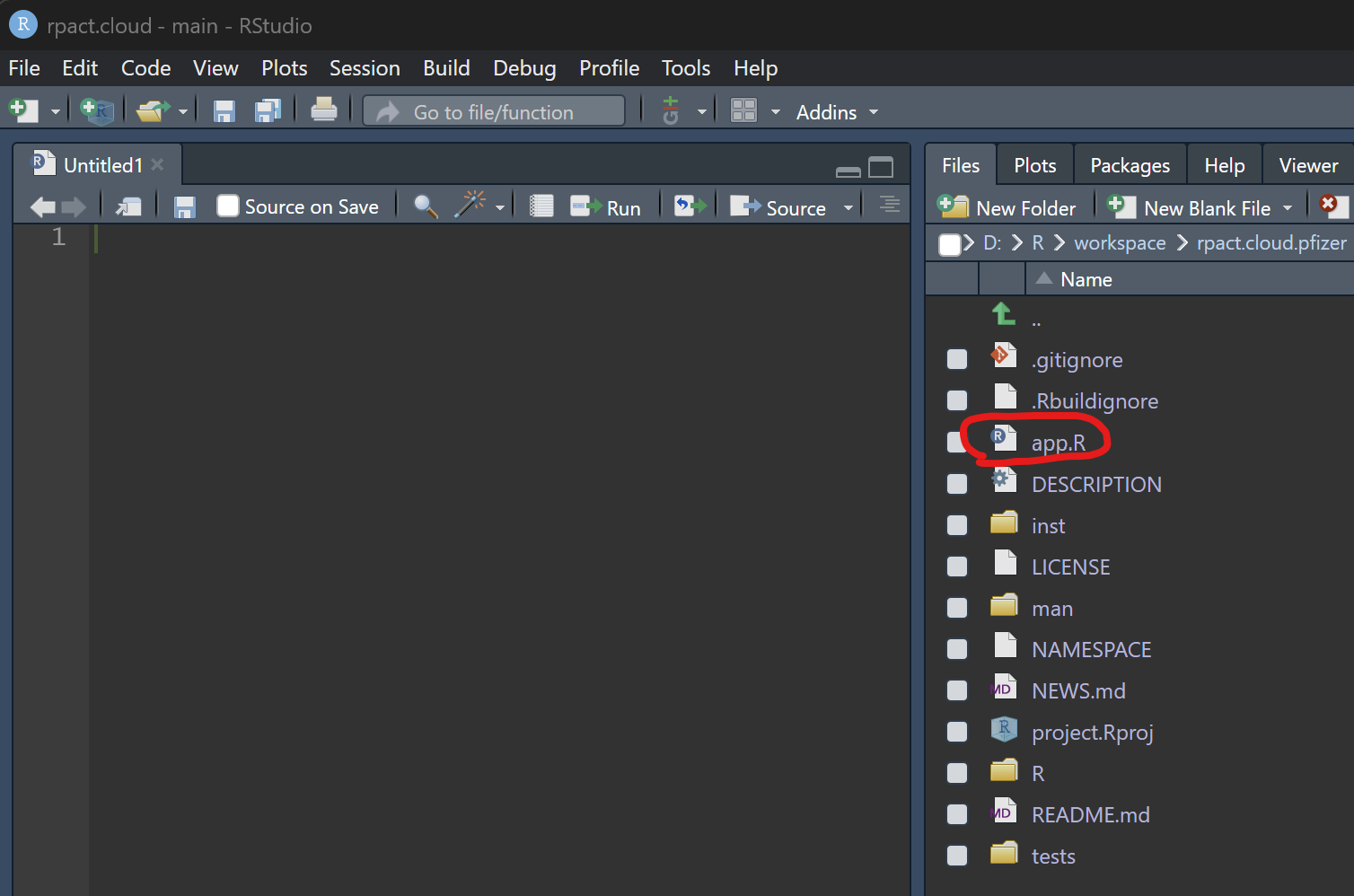
Opening app.R
Step 3: Run the App Locally
Click the “Run App” button at the top of the
app.R source code editor in RStudio:

Step 4: Publish the App
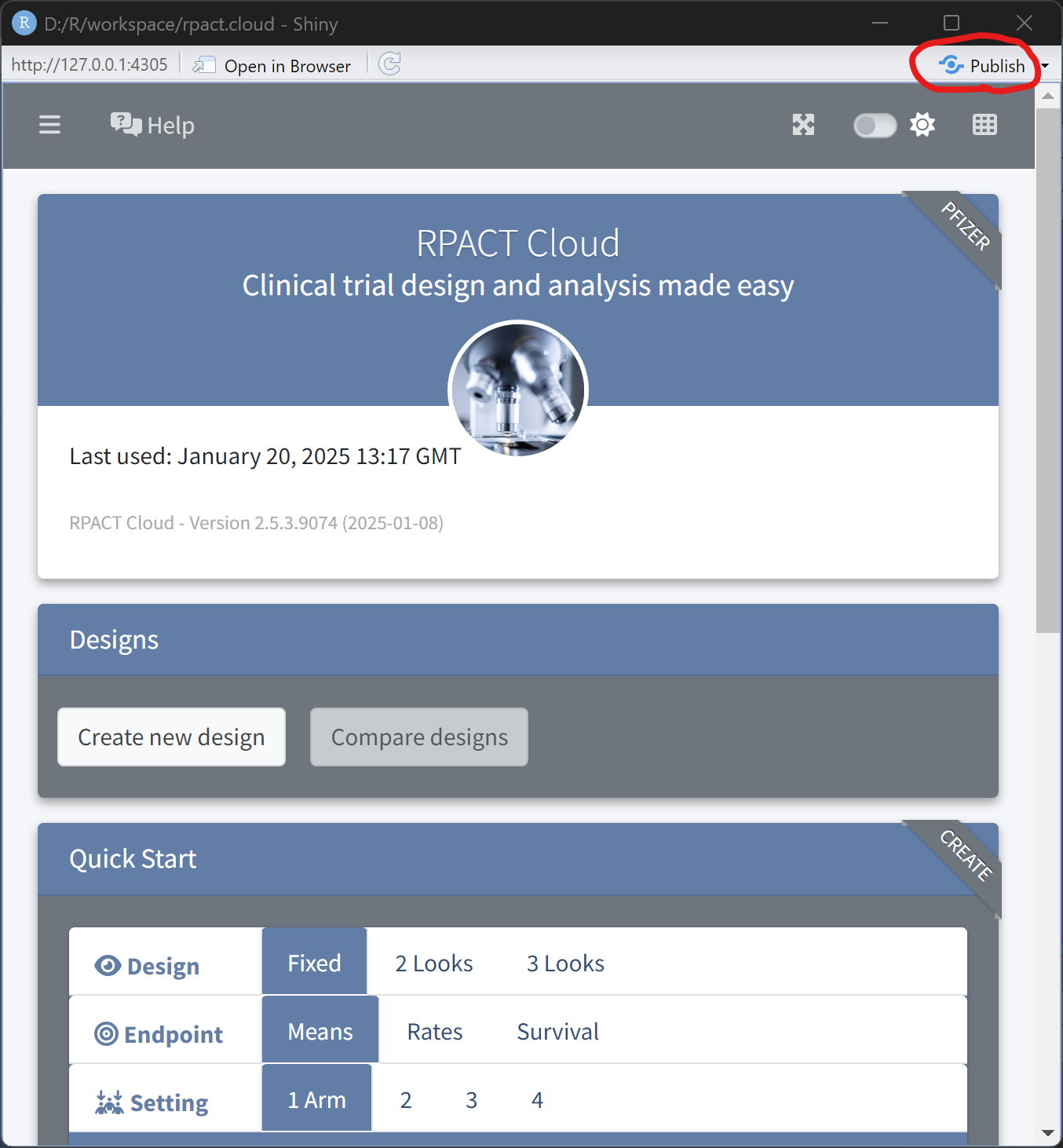
Once the app launches successfully in your browser, click the “Publish” button located in the top-right corner of RStudio:
In the “Publish to Server” dialog, select your server account, specify an app title, and click “Publish”:
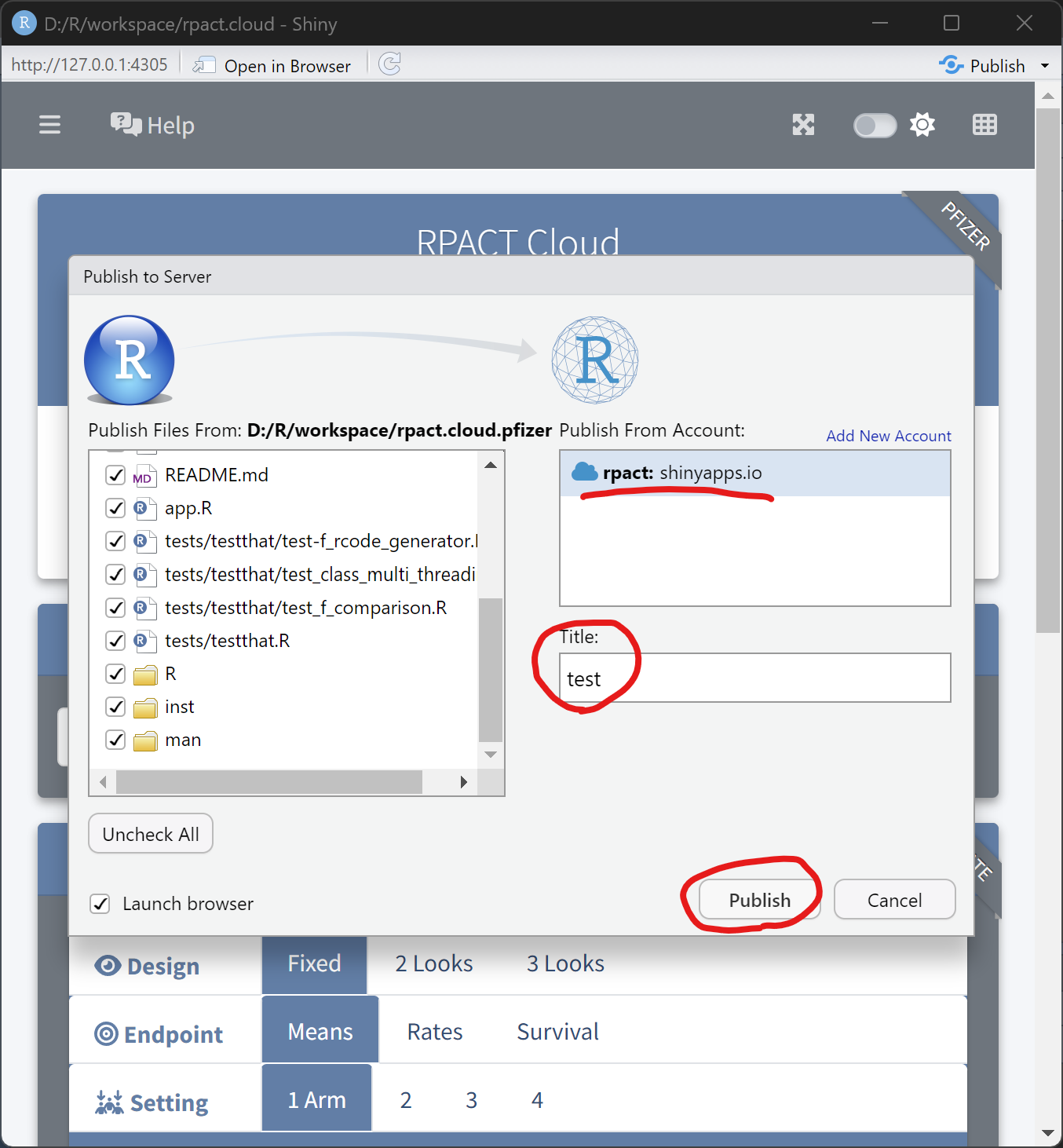
Publishing dialog
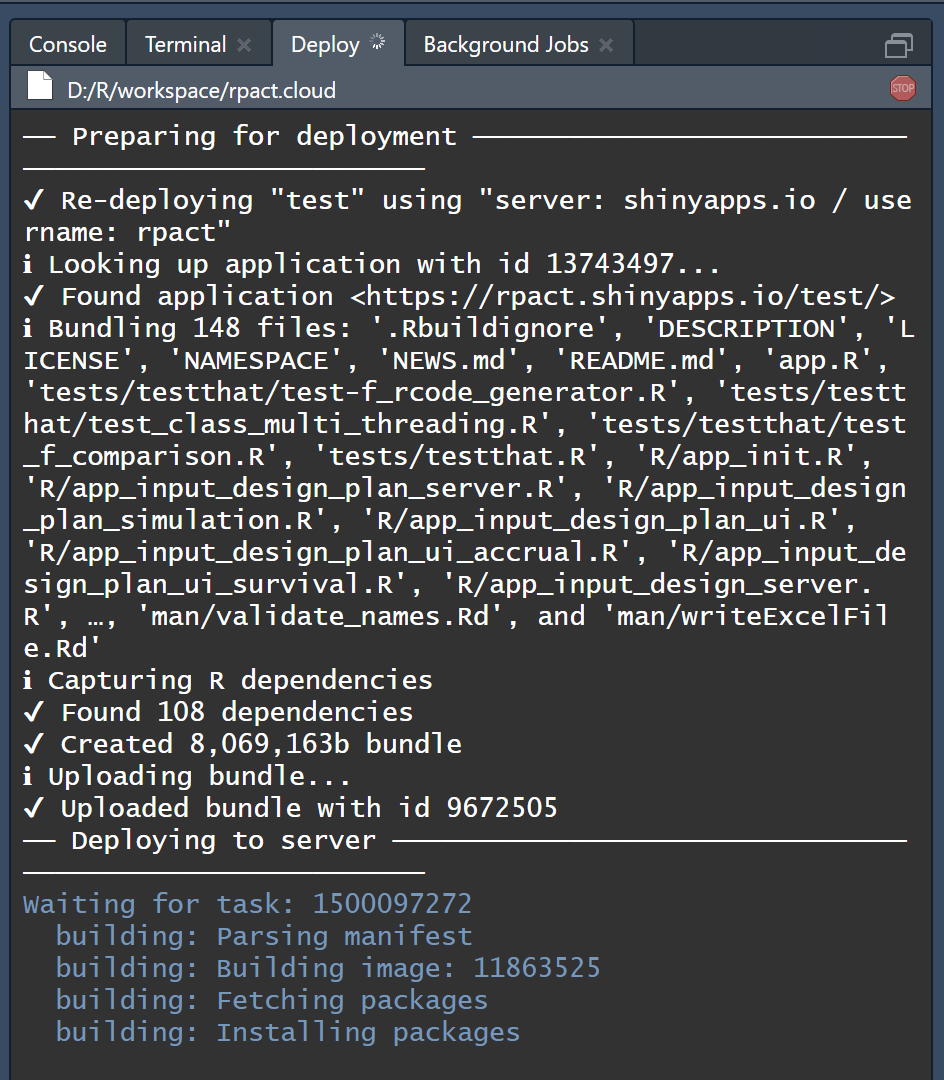
Monitor the deployment progress in the “Deploy” tab of RStudio: